Tutorials.
Short videos that take you from an empty scene to a published game. Follow along in Stoneleap Studio.
15 tutorials

How to start your first project in Stoneleap | Getting Started #1
New to Stoneleap? Start here. Create your first project and take a quick tour of the editor: the Hierarchy, the 3D view, Properties, Primitives, the Library, Assets, Play and Publish.

How to navigate the 3D view in Stoneleap | Getting Started #2
Find your way around your scene: left-drag to orbit, scroll to zoom, and press F to jump straight to anything you select in the Hierarchy.

How to drag and drop objects in Stoneleap | Getting Started #3
Add things to your scene by dragging them in: basic shapes from Primitives and ready-made props, like a lamp with its own light.

How to move, rotate and scale objects in Stoneleap | Getting Started #4
Click to select, then drag the arrows, rings and handles – or type exact values in Properties.

How to change colors and materials in Stoneleap | Getting Started #5
Make it yours: change the color of anything with the Albedo picker, and use Metallic and Roughness to make it shine.

How to duplicate, delete and undo in Stoneleap | Getting Started #6
Right-click anything in the Hierarchy to duplicate or delete it. Delete asks first, because it can't be undone – for everything else there's Undo (Cmd+Z).
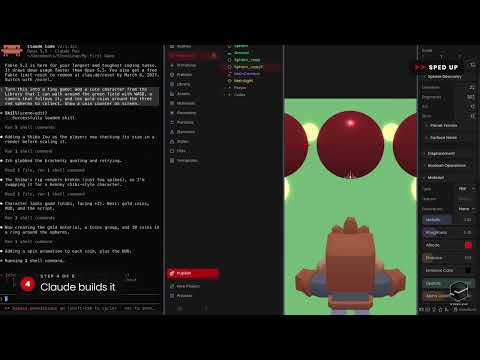
Build a game with the AI agent in Stoneleap | Getting Started #7
Describe it, and the AI agent builds it. In under three minutes, Claude turned an empty scene into a little coin-collecting game – with a character, a follow camera, coins and a counter.

How to test your game with Play in Stoneleap | Getting Started #8
Press Play to try your game in its own window. To stop, move the mouse to the top of the screen and click the red dot.

How to publish your game in Stoneleap | Getting Started #9
Add a cover, a description and tags, hit Save & Publish – and your game is live on stoneleap.com, where anyone can play it right in their browser.

How to change the mood with Styles in Stoneleap | Getting Started #10
Give your whole scene a new mood in one click: Rainy Tokyo Night, Synthwave, Candy, Cozy Cottage and more.

How to add fire, water and magic with Elements in Stoneleap | Getting Started #11
Elements are ready-made effects: drag in a bonfire, water with moving waves, and a magic portal.

Keep building your game with the AI agent in Stoneleap | Getting Started #12
Your game isn't finished when the agent is. Ask for a jump and coin sparkles – Claude adds them and tests them, then press Play.

How to get help inside the Stoneleap editor | Getting Started #14
Stuck? The editor has answers built in: pick a question and it shows you exactly where to go.

Build your scene in Stoneleap | Part 1
Part 1 of 2: ground texture, drag and drop, move/rotate/scale, a sky – and an AI dress-up that makes it look like a real game.

Turn your scene into a game in Stoneleap | Part 2
Part 2 of 2: a character you can move, a follow camera, things to pick up, a score counter and sound.